 Vextro Lyntra
Facebook and Instagram ads can put your product in front of exactly the right people at a low cost. But many beginners boost a few posts, get likes, and no sales. Here's how to run a campaign that's built to bring customers.
Before you spend: set up properly
- Create a Business Manager (Meta Business Suite) and an ad account.
- Install the Meta Pixel on your website, and ideally the Conversions API, so purchases and leads are tracked.
- Verify your domain and set up the events that matter: purchase, lead, contact.
Choose the right objective
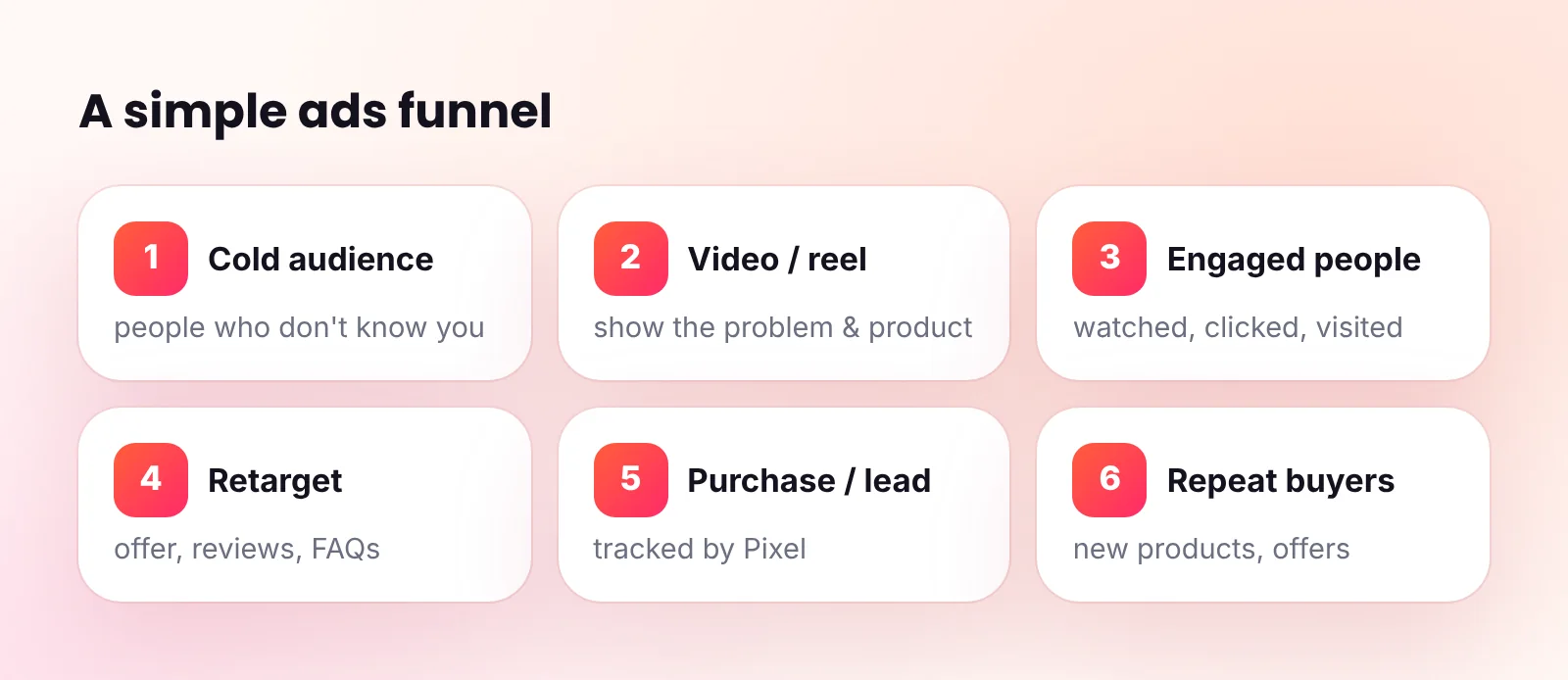
Meta optimises for the goal you choose. Pick Sales if you want purchases, Leads for forms or messages, and Engagement or Awareness only when that's truly the goal.
Audiences
Start broad within your target country or city and let Meta's delivery system find buyers, especially once your Pixel has data. Add custom audiences of website visitors, customers and video viewers for retargeting.
Want ads that bring sales, not just likes?
We plan, create and manage Facebook and Instagram campaigns with proper tracking and testing. From $299.
See Meta ads management →Creative is the biggest lever
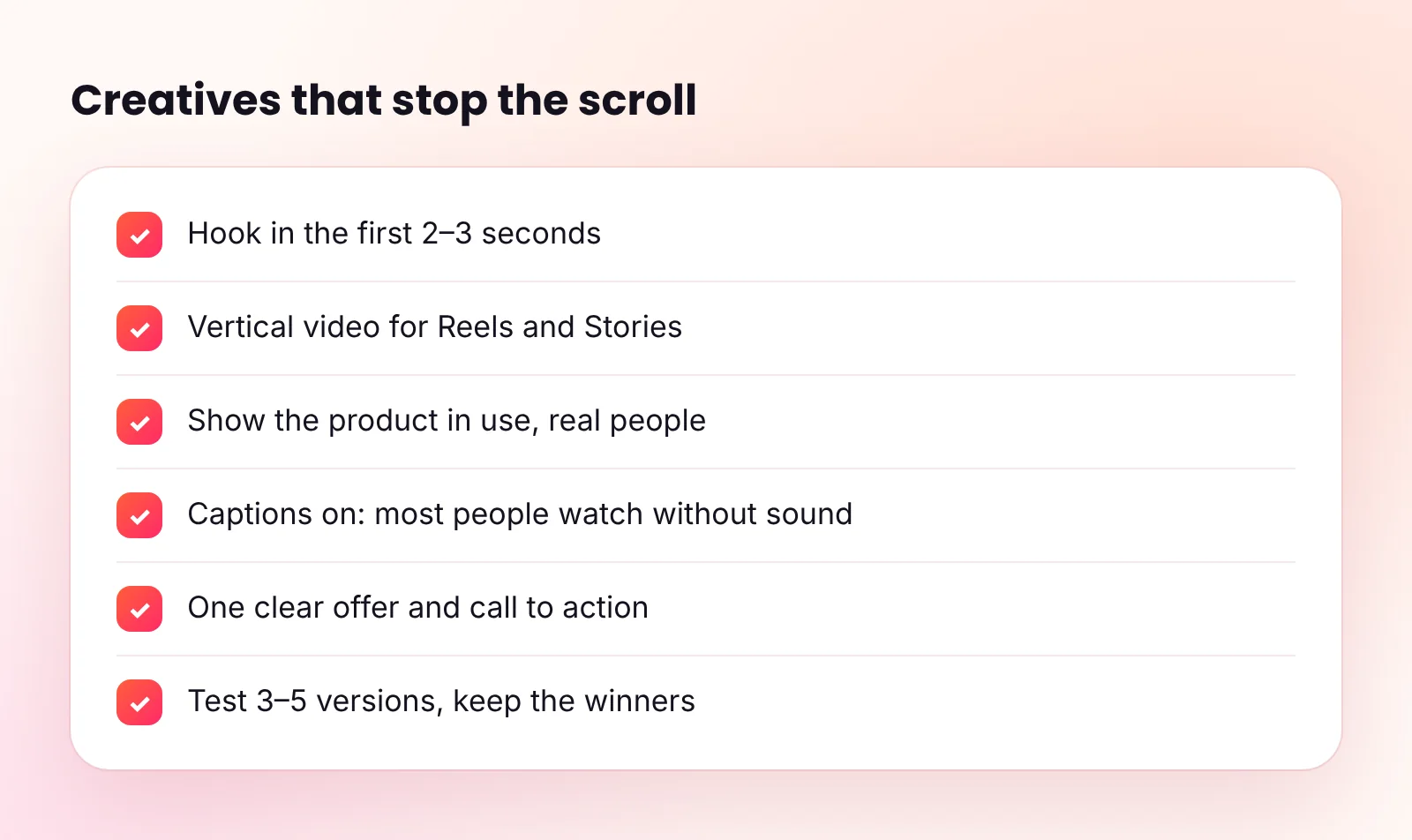
The ad itself decides most of your results. Short vertical videos and Reels usually perform best.
Budget and testing
- Start with one campaign and one or two ad sets.
- Run 3 to 5 creatives in each ad set.
- Let it run for several days before judging.
- Turn off creatives that clearly underperform and make new versions of the winners.
- Increase budget gradually on what works.
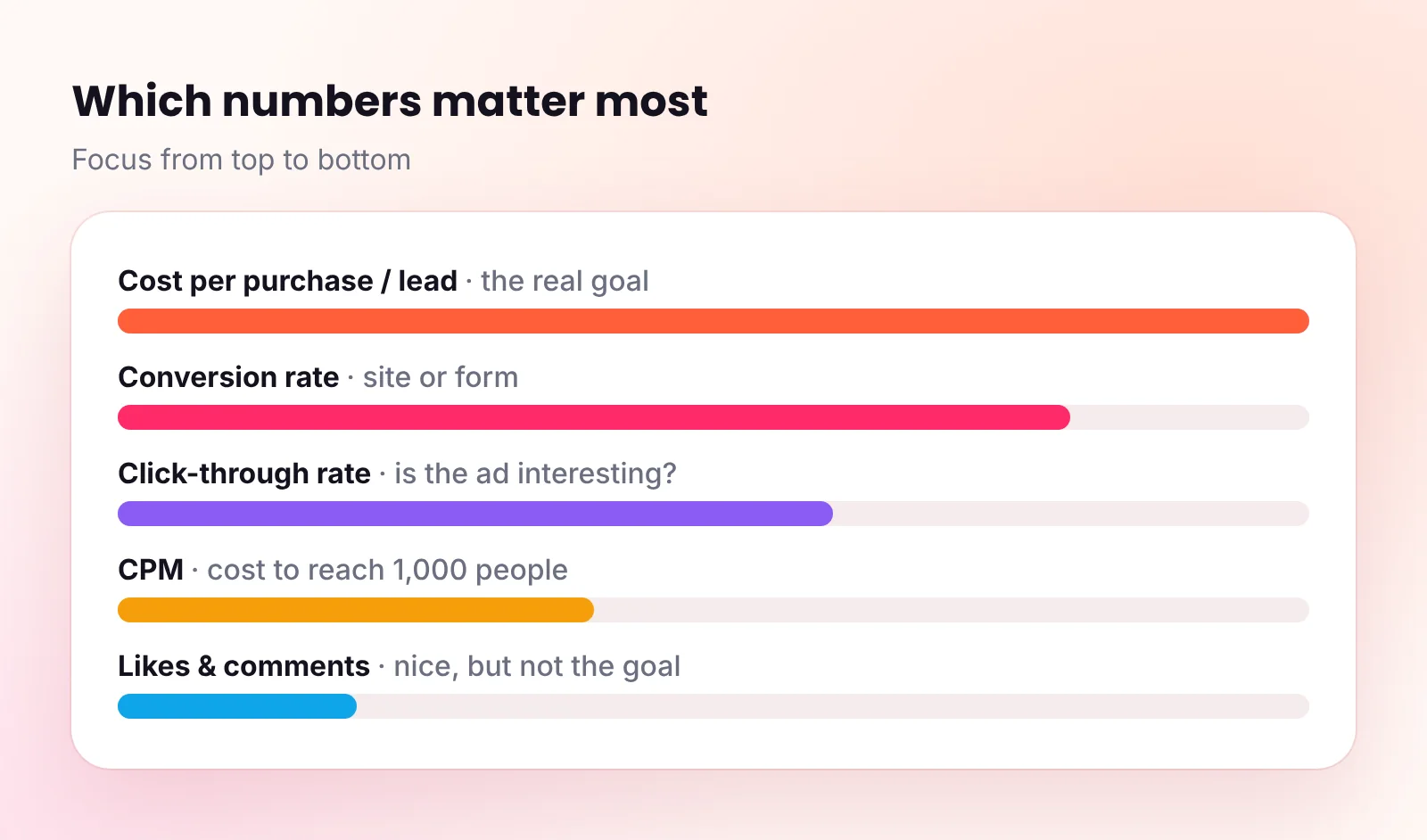
Reading your results
Stay within the rules
Avoid exaggerated claims, before/after images for personal attributes, and restricted products. Make sure your landing page matches what the ad promises.
Summary
Set up the Pixel, choose the right objective, keep audiences simple, and put your energy into creatives. Test, keep the winners, and scale slowly. That's how Facebook and Instagram ads turn into a steady source of customers.
Frequently asked questions
How much budget do I need to start?
Start with a daily budget you can test for at least a week per ad set, so Meta's system has enough data to learn.
Should I boost posts or use Ads Manager?
Ads Manager gives much more control over objectives, audiences and tracking. Boosting is fine for quick reach, but campaigns for sales should use Ads Manager.
What is the Meta Pixel?
A small piece of code on your website that reports actions like views, add-to-cart and purchases back to Meta, so it can show your ads to people likely to act.
Why was my ad rejected?
Usually because of a policy issue, such as misleading claims, before/after images or restricted products. Read the reason, fix the ad and request a review.
Want ads that bring sales, not just likes?
We plan, create and manage Facebook and Instagram campaigns with proper tracking and testing. From $299.
See Meta ads management →