 Vextro Lyntra
Google Ads puts your business at the top of Google the moment someone searches for what you sell. Done well, it's one of the fastest ways to get customers. Done badly, it quietly burns money. This guide shows how to set up a search campaign properly and which mistakes to avoid.
How Google Ads works
You choose keywords, write ads and set a budget. When someone searches, Google runs an auction based on your bid and the quality of your ad and landing page. You pay when someone clicks. Better relevance usually means lower costs.
Campaign structure
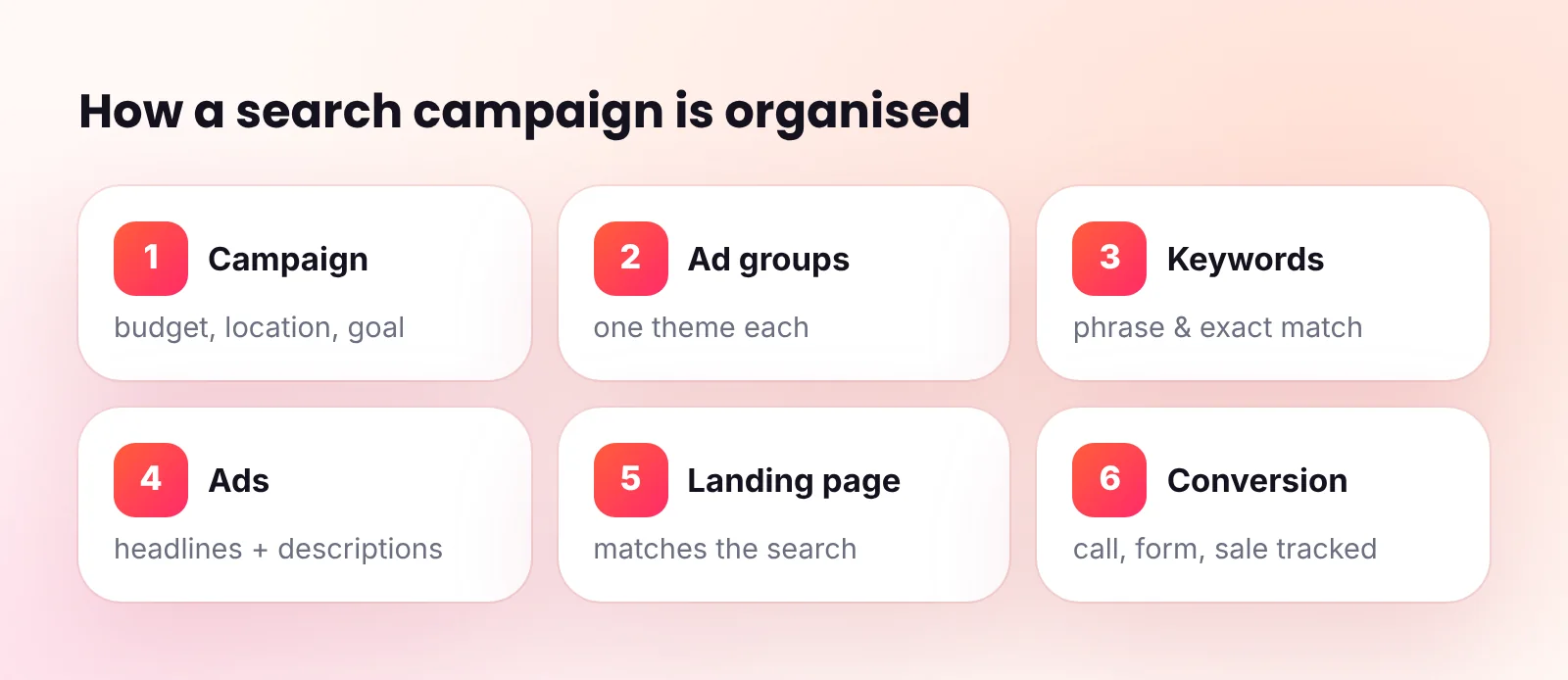
Keep each ad group tightly themed (for example "website development Lahore" separate from "online store development") so ads and landing pages match the search closely.
Choosing keywords
Focus on searches with buying intent: "price", "near me", "service", "buy", "company". Use Keyword Planner to check volume and estimated costs.
Want Google Ads that actually pay off?
We set up and manage search campaigns with proper tracking, negative keywords and landing pages. From $299.
See Google Ads management →Negative keywords
Add words you don't want to pay for, such as "free", "jobs", "course" or "salary" for a service business. Review the search terms report every week and add new negatives.
Writing ads that get clicks
- Put the keyword or service in a headline.
- Mention a clear benefit or offer: price from, delivery time, free consultation.
- Add a call to action: "Get a quote", "Call now".
- Use assets (extensions): sitelinks, callouts, call buttons and locations.
Landing pages
Send each ad group to a page that matches the search, loads fast on mobile and has one clear action: a call button, WhatsApp button or short form.
Conversion tracking
Track the actions that matter: form submissions, calls, WhatsApp clicks and purchases. Without tracking you can't tell which keywords make money, and smart bidding can't optimise.
10 mistakes that waste money
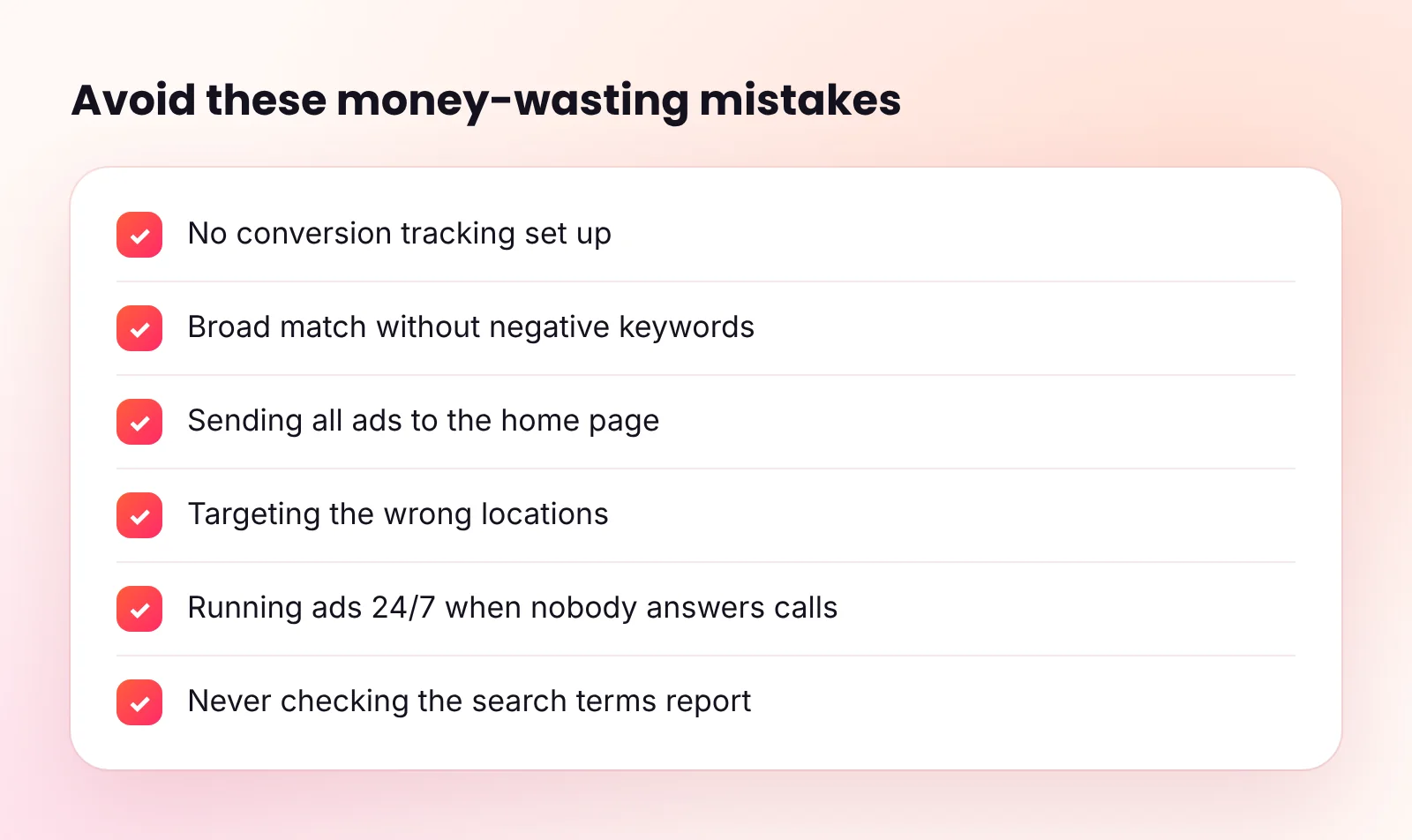
Four more: bidding on your competitors' brand without a plan, ignoring mobile, testing too many things at once, and turning campaigns off and on every few days so they never learn.
Weekly optimisation routine
- Check search terms and add negatives.
- Pause keywords that spend without converting.
- Test a new headline against the old one.
- Move budget to the campaigns with the best cost per customer.
Summary
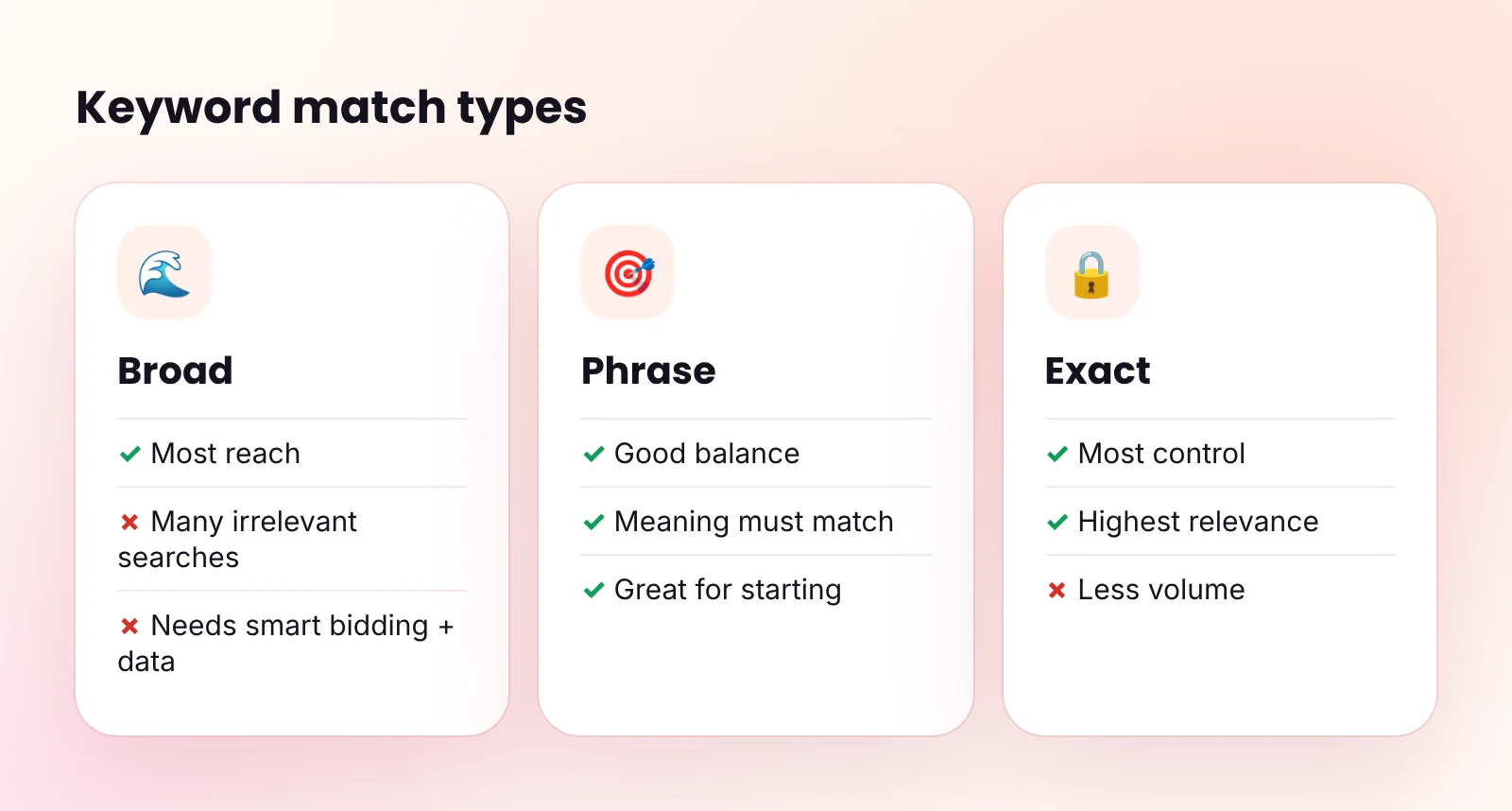
Start small with focused keywords, phrase and exact match, strong negatives, matching landing pages and proper conversion tracking. Review weekly, keep what works, cut what doesn't, and Google Ads can become a reliable source of customers.
Frequently asked questions
How much should I spend on Google Ads?
Start with a daily budget you're comfortable testing for a few weeks, then increase it on campaigns that bring customers at a good cost.
How fast do Google Ads work?
Ads can show within hours of approval. Optimising them to a good cost per customer usually takes a few weeks of data.
What is a negative keyword?
A word you add so your ad doesn't show for searches you don't want, such as 'free' or 'jobs'.
Do I need a landing page?
A page that matches the search and has one clear action usually converts far better than sending everyone to the home page.
Want Google Ads that actually pay off?
We set up and manage search campaigns with proper tracking, negative keywords and landing pages. From $299.
See Google Ads management →