 Vextro Lyntra
Many great software ideas never launch because founders try to build everything at once. A SaaS (software as a service) product succeeds when it solves one real problem well, launches early and improves from real feedback. Here is a practical roadmap.
Step 1: validate the problem
Before writing code, talk to at least 10 people who have the problem. Ask how they solve it today, what it costs them in time or money, and what they would change. If they're already paying for a workaround, that's a strong signal.
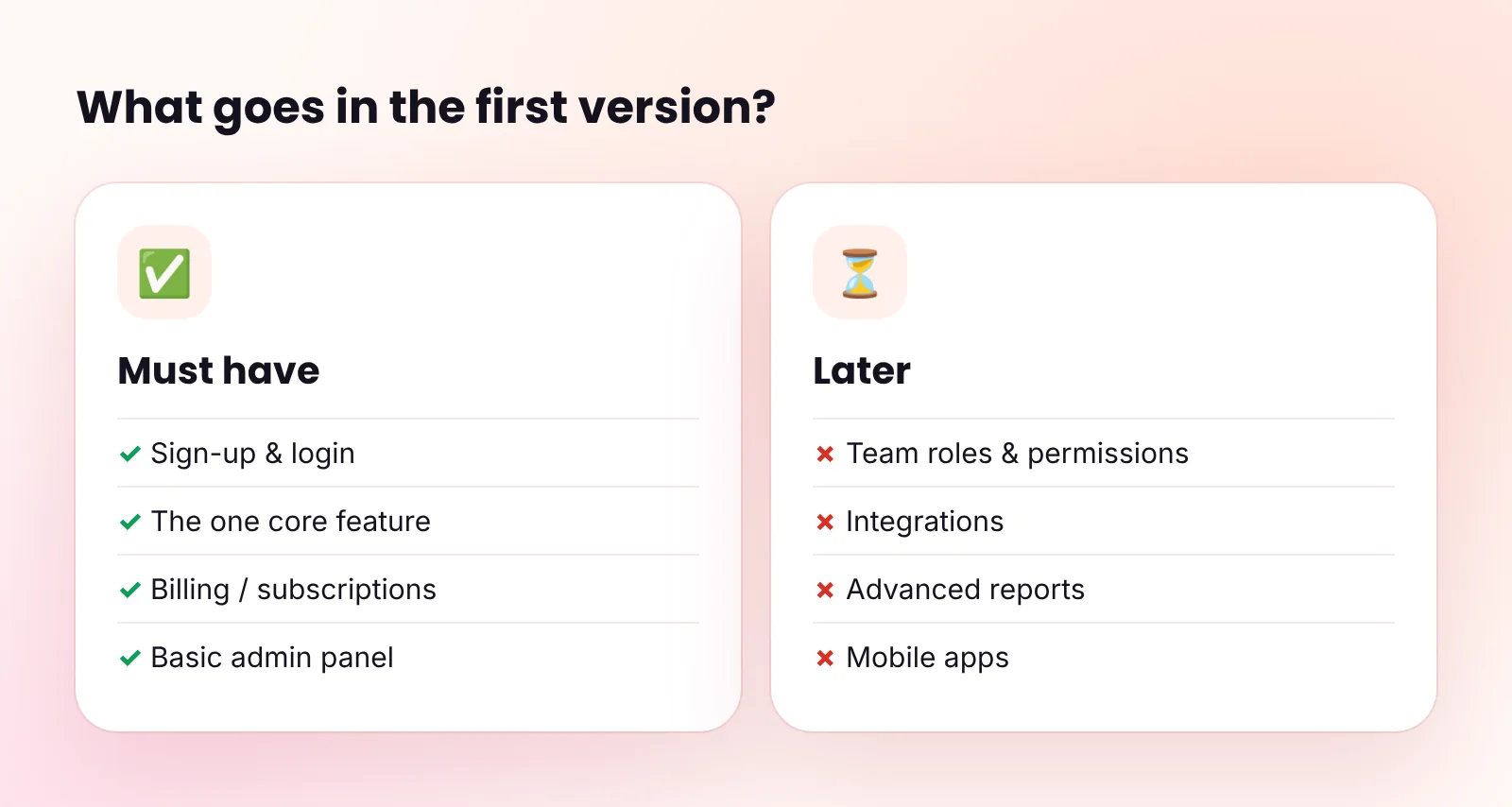
Step 2: scope the MVP
Pick one core workflow that delivers clear value, then list only what's needed to make it work.
Step 3: design the flows
Sketch every screen a user goes through, from sign-up to getting their first result. Turn it into a clickable prototype and test it with a few of the people you interviewed. Fixing a design is far cheaper than fixing code.
Building a SaaS or internal tool?
We plan, design and build SaaS platforms and custom software, from MVP to scale. From $799.
See software development →Step 4: choose a sensible tech stack
Choose proven, well-supported technology that your team knows well. A typical modern stack includes a web framework, a managed database, cloud hosting and a payment provider for subscriptions. Prioritise security, backups and the ability to scale later.
Step 5: build, with billing from the start
Build the core feature, user accounts, subscription billing and an admin panel to manage users. Add error tracking and analytics so you can see what's happening once real users arrive.
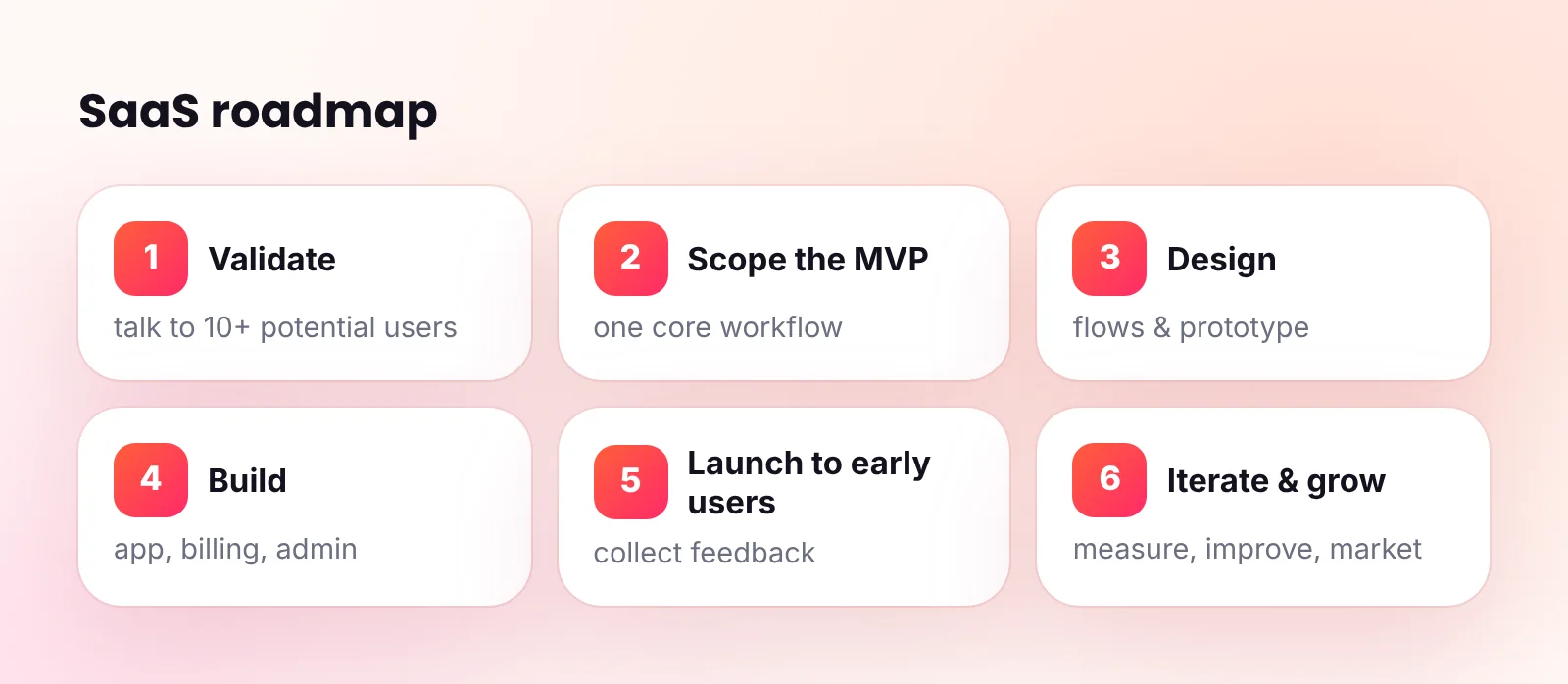
Step 6: launch to early users
Invite the people you interviewed, offer early-bird pricing and talk to them often. Watch where they get stuck and what they ask for.
Pricing your SaaS
- Keep plans simple: two or three tiers.
- Tie price to value: users, projects, usage or features.
- Offer a free trial or demo so people can try before they pay.
- Revisit pricing after you have real usage data.
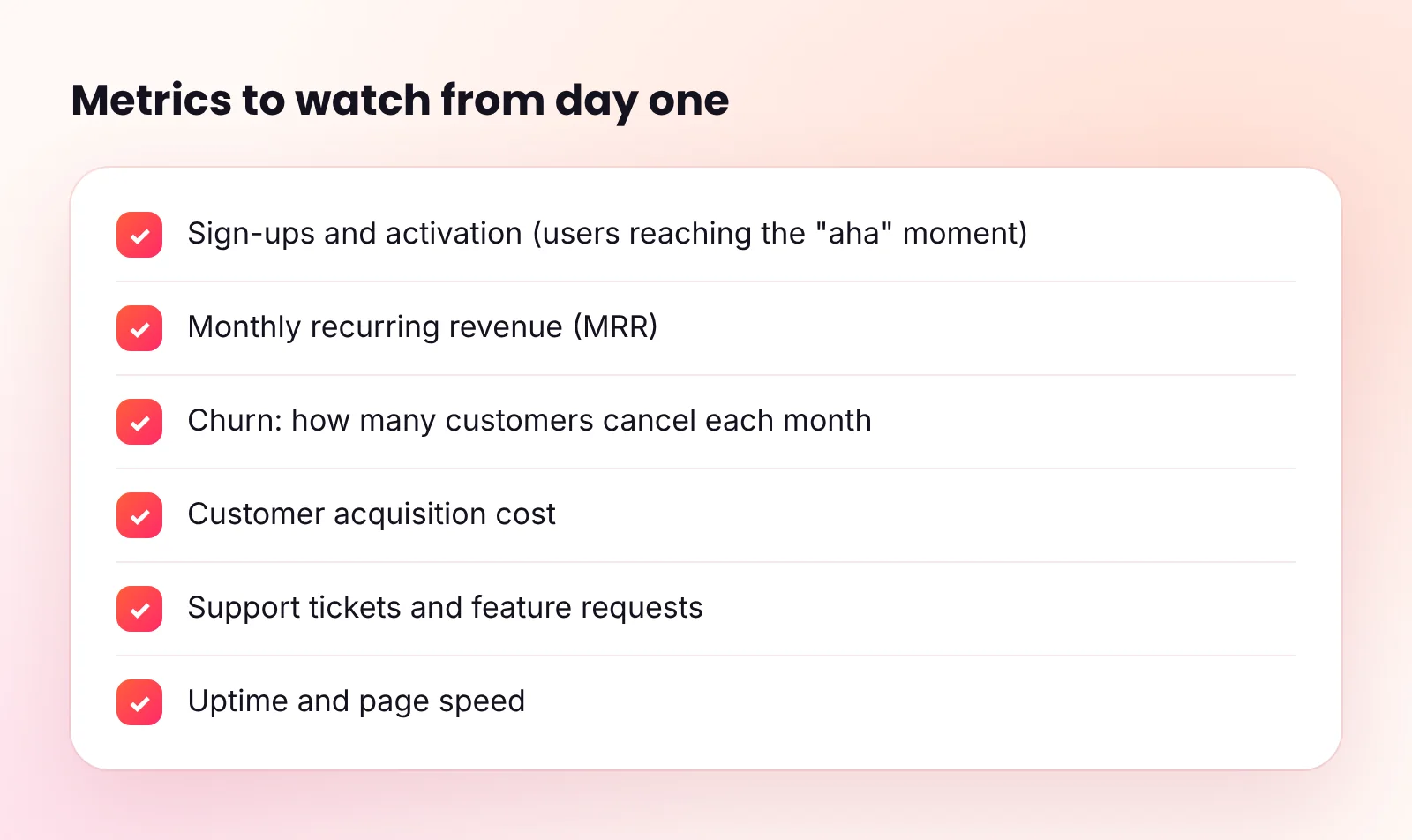
Metrics that matter
Common mistakes
- Building for months without talking to users.
- Too many features in version one.
- No billing at launch, so you can't learn whether people will pay.
- Not owning your code, domain or cloud accounts.
Summary
Validate the problem, build a focused MVP with billing, launch to early users and improve from feedback. That approach saves months and money, and gives your SaaS the best chance to grow.
Frequently asked questions
Do I need a technical co-founder?
Not necessarily. Many founders work with a development team for the first version, as long as they stay closely involved in decisions and own the code.
How do I validate my SaaS idea?
Talk to potential customers about their problem before building, check what they use today, and see if they would pay or join a waitlist.
What should the MVP include?
Only what's needed for users to get value from the core feature: account, the main workflow, billing and a simple admin. Everything else can wait.
How should I price my SaaS?
Start with simple monthly plans tied to the value customers get, offer a trial or demo, and adjust based on feedback.
Building a SaaS or internal tool?
We plan, design and build SaaS platforms and custom software, from MVP to scale. From $799.
See software development →