 Vextro Lyntra

Search engine optimisation (SEO) is how you get your website found on Google without paying for each click. It can sound technical, but the basics are simple: understand what people search, give them the best answer, and make your site easy for Google to read. Here's a beginner-friendly guide.
How Google decides rankings
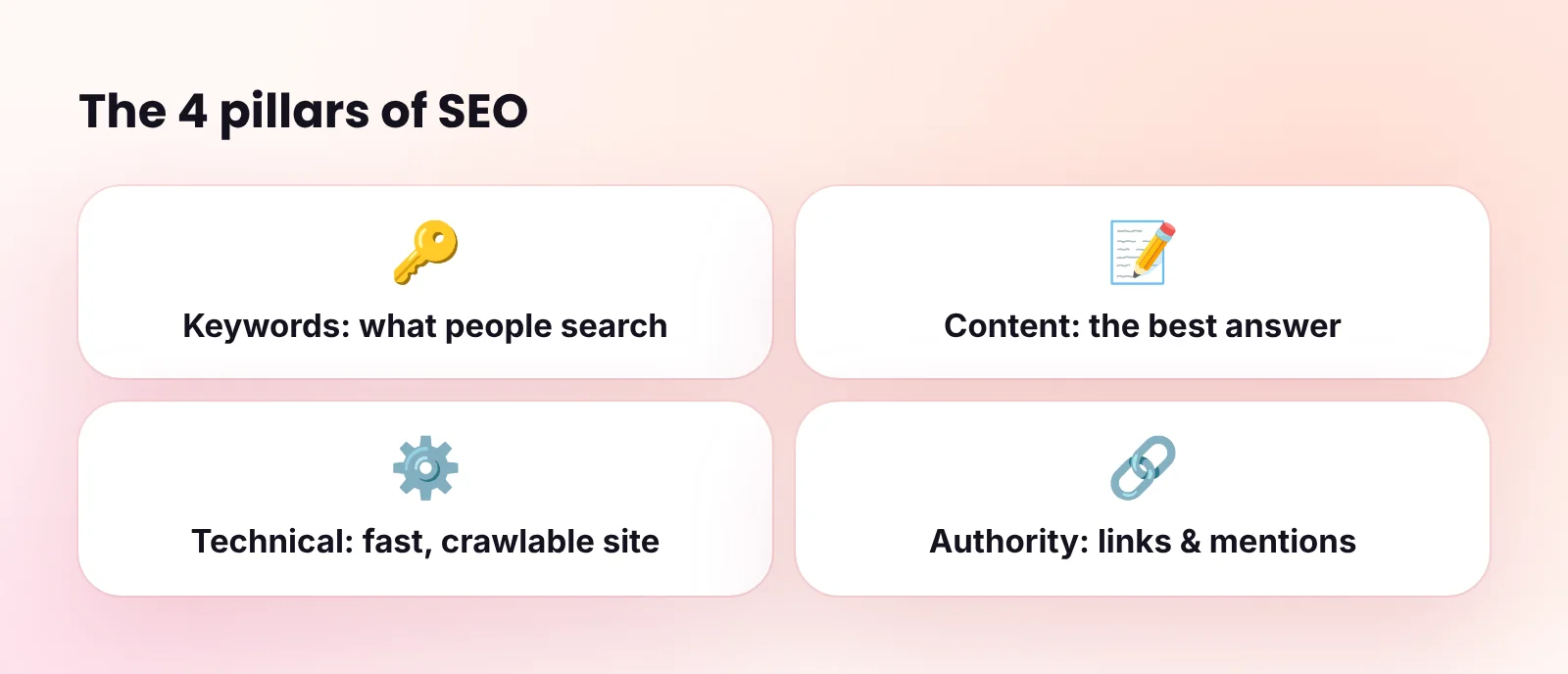
Google tries to show the most helpful, trustworthy page for every search. It looks at hundreds of signals, but they come down to four pillars:
Step 1: keyword research
Start with how your customers describe their problem. Use Google's autocomplete, the "People also ask" box and free tools like Google Search Console and Google Keyword Planner to find phrases with real searches. Focus on:
- Intent: is the searcher ready to buy, comparing, or just learning?
- Long-tail phrases: longer, specific searches are easier to rank for and often convert better.
- One main keyword per page, plus related phrases.
Step 2: on-page SEO
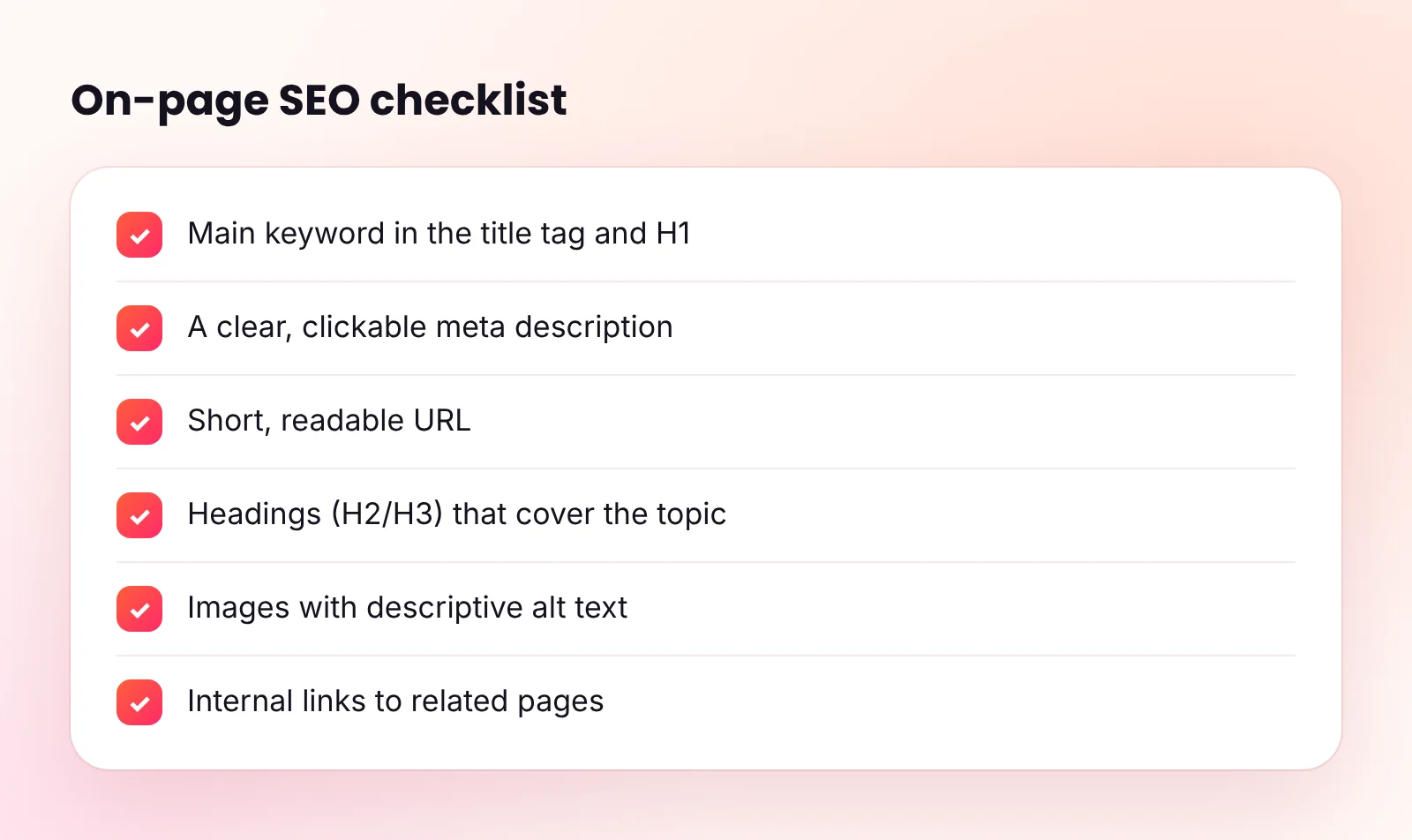
Write titles for people first: clear, specific and tempting to click. Match the page to what searchers want; a "price" search wants prices, not a company history.
Want more customers from Google?
We research your keywords, fix technical SEO and build content and links that grow organic traffic. From $199.
See SEO services →Step 3: technical SEO basics
- Mobile-friendly and fast. Most searches happen on phones.
- HTTPS on every page.
- XML sitemap submitted in Google Search Console.
- No broken links or important pages blocked by robots.txt.
- Structured data for products, FAQs and articles where relevant.
Step 4: content that deserves to rank
Create pages that answer questions better than anything else on page one: more complete, clearer, with examples, images and your own experience. Update important pages regularly so they stay accurate.
Step 5: build authority
Links from other relevant, trustworthy websites tell Google your site is worth showing. Earn them with useful content, business listings, partnerships, guest articles and PR. Avoid buying links from link farms; it can do more harm than good.
Local SEO
If you serve a city or area, set up and complete your Google Business Profile, keep your name, address and phone the same everywhere, and ask happy customers for reviews.
How long it takes
How to measure progress
Use Google Search Console to see which searches show your site, your clicks and your average position, and Google Analytics to see what visitors do. Track progress month by month.
Summary
Find what your customers search, build the best page for each topic, keep your site fast and crawlable, and earn trust over time. SEO takes patience, but the traffic it brings keeps working for you every day.
Frequently asked questions
How long does SEO take to work?
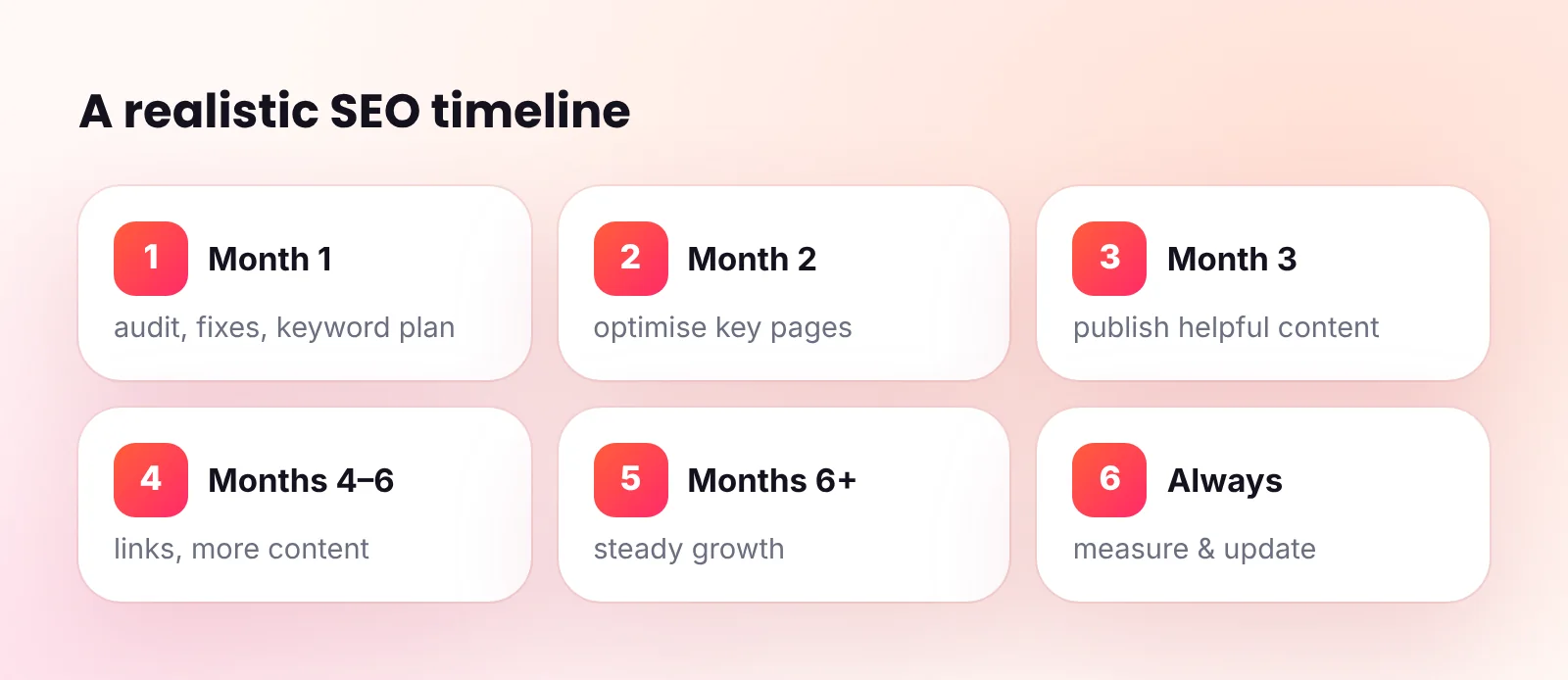
Usually a few months to see clear results, depending on competition and your site's starting point. SEO is a long-term investment.
Can anyone guarantee first place on Google?
No. Google decides rankings, and nobody can guarantee a position. Be careful with anyone who promises it.
Do I need a blog for SEO?
Not always, but helpful articles are one of the best ways to rank for the questions your customers search before they buy.
Is SEO better than ads?
They work differently. Ads bring traffic immediately while you pay; SEO takes longer but keeps bringing visitors without paying per click. Many businesses use both.
Want more customers from Google?
We research your keywords, fix technical SEO and build content and links that grow organic traffic. From $199.
See SEO services →