 Vextro Lyntra
App development quotes can range from very cheap to very expensive, and it's hard to know why. The price depends on what the app does, how it looks, what runs behind it and which platforms it targets. This guide explains each part so you can plan a realistic budget.
What you're really paying for
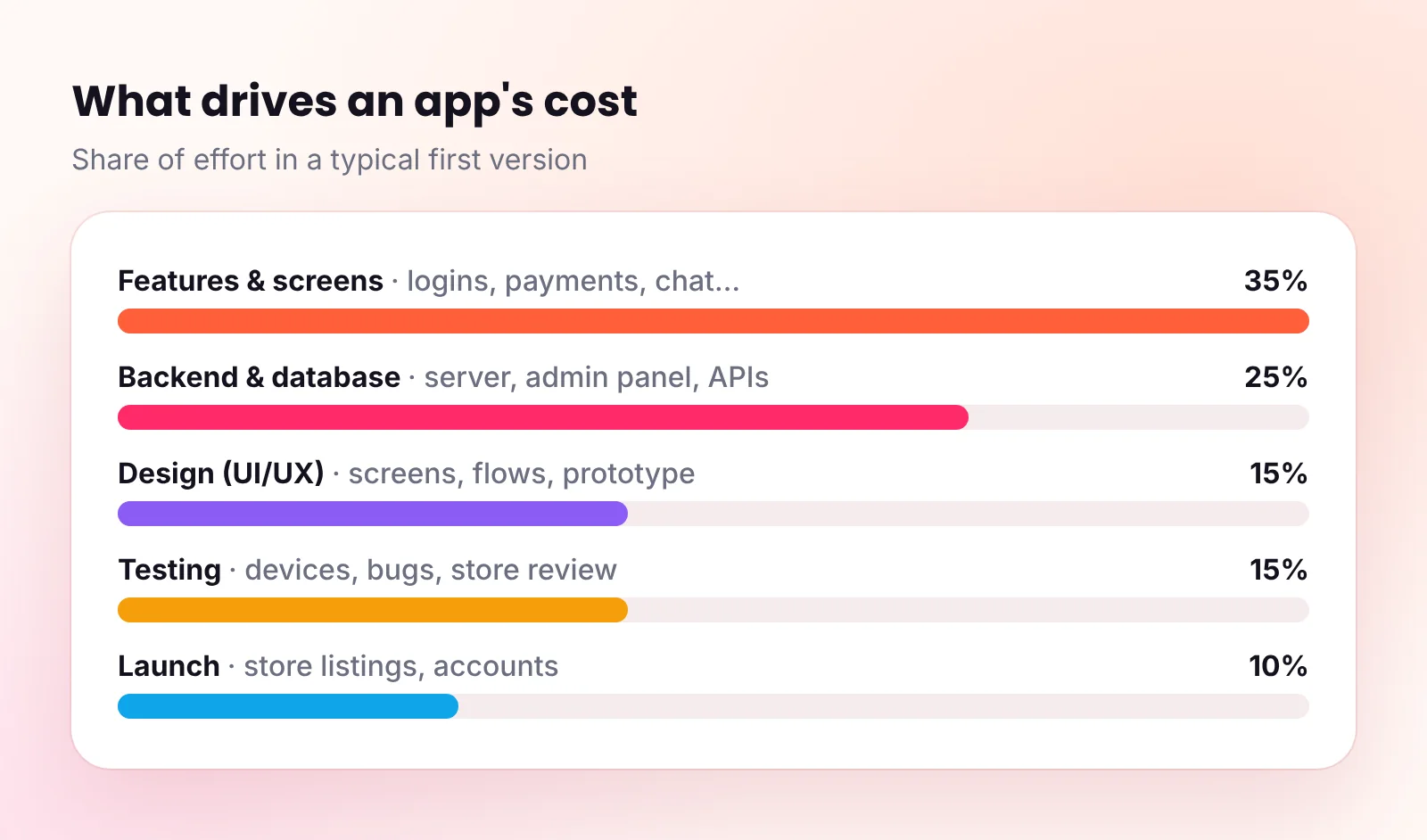
- Features and screens. Sign-up, profiles, payments, chat, maps, notifications. Each one is real work.
- Backend. Most apps need a server, database and an admin panel to manage users, orders or content.
- Design. Good user experience is planned: screen flows, a design system and a clickable prototype.
- Testing. Different phones, screen sizes and OS versions, plus the store review process.
- Launch. Store listings, screenshots, privacy policy and developer accounts.
Android, iOS or both?
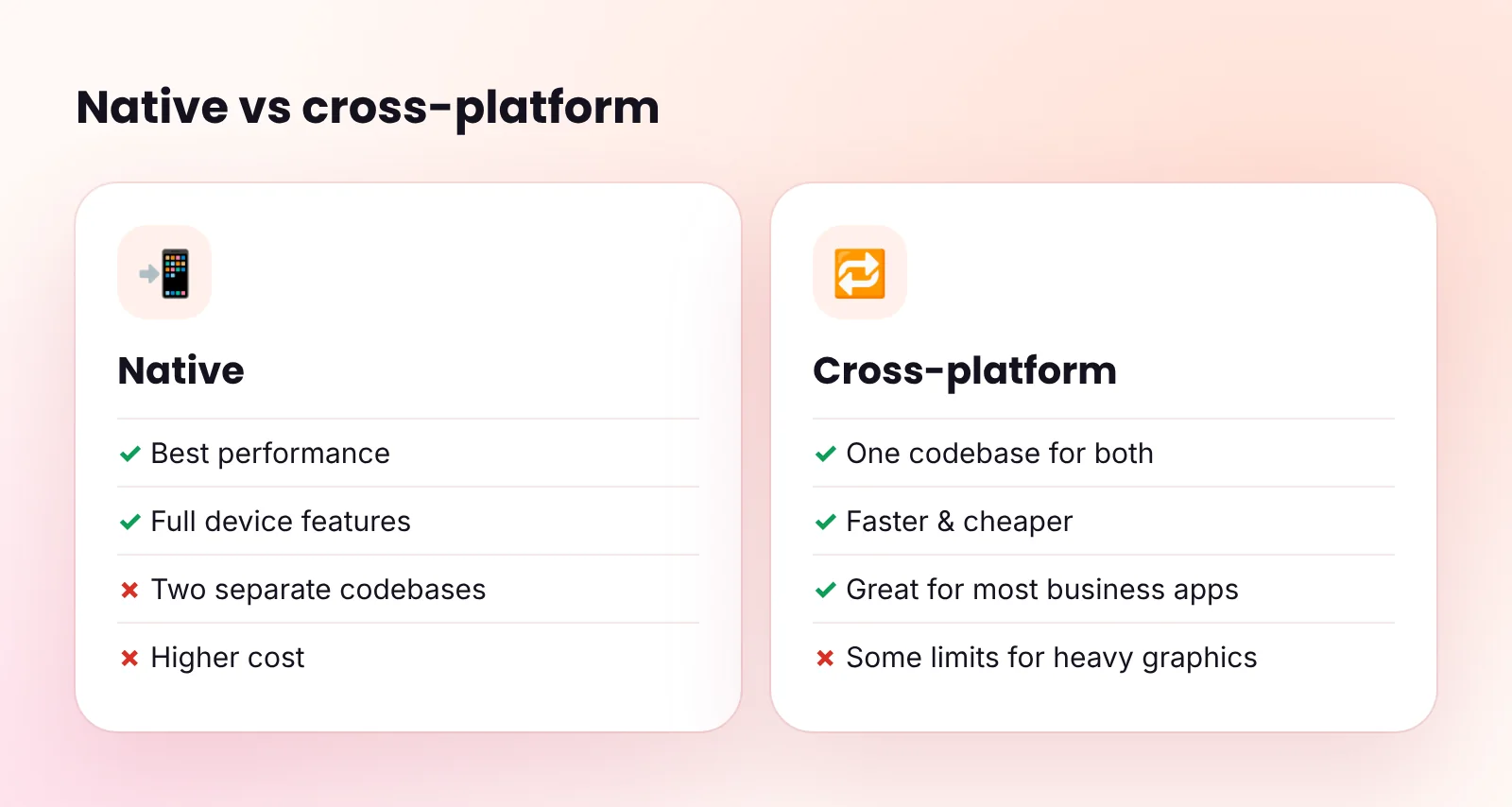
Cross-platform frameworks like Flutter and React Native let one codebase run on both Android and iOS. For most business apps, booking apps, stores and dashboards, this is faster and more affordable. Native development makes sense for apps that push the hardware, such as games or heavy media processing.
Typical app types
Simple apps
A few screens, no or simple login, content from a basic backend. For example, a catalogue, company app or event app.
Business apps
User accounts, payments or bookings, notifications and an admin panel. For example, a store, delivery or service-booking app.
Complex apps
Real-time features, chat, maps and tracking, marketplaces with several user types, or heavy integrations.
Have an app idea?
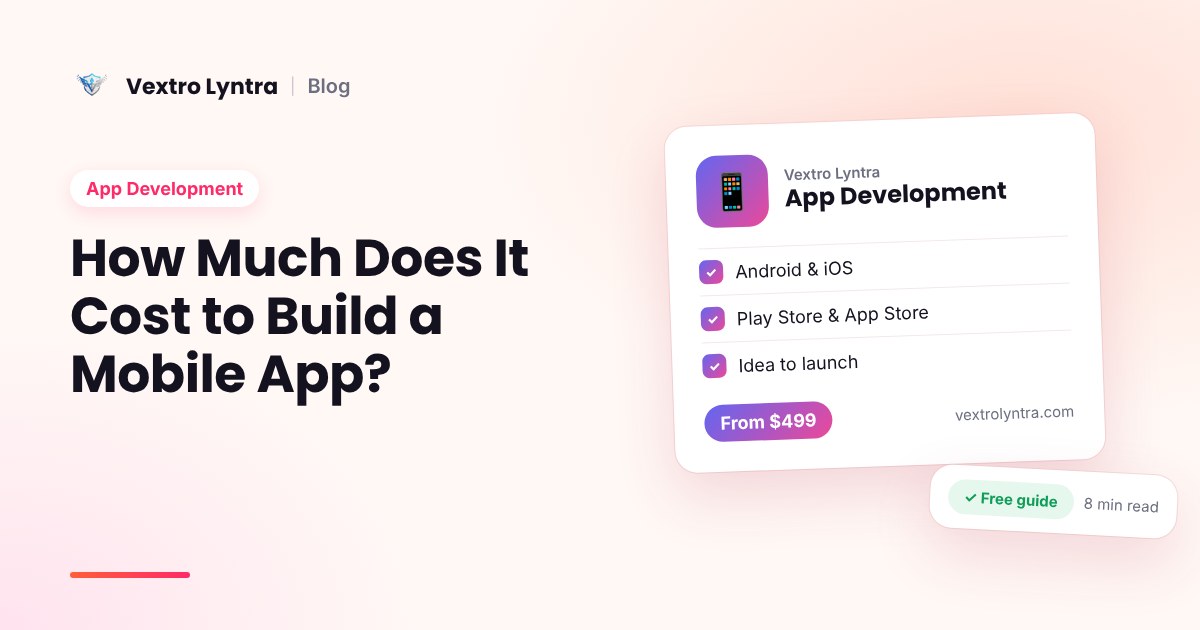
We design and build Android and iOS apps, from MVP to Play Store and App Store launch. From $499.
See app development →Start with an MVP
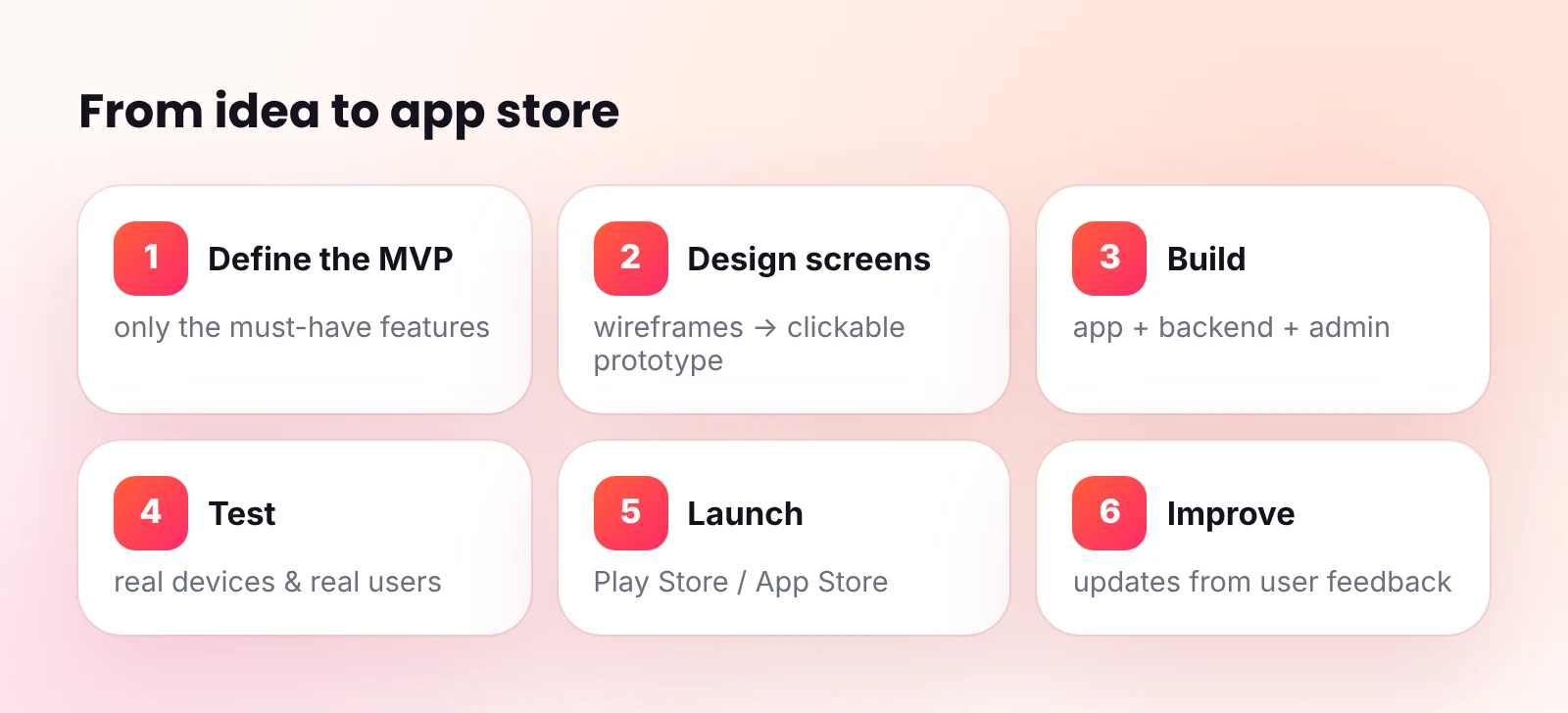
The smartest way to control cost is to launch a Minimum Viable Product: only the features users need to get value on day one. You launch sooner, learn from real users and invest in what actually matters.
Costs after launch
- Server and database hosting.
- Google Play and Apple developer accounts.
- Updates for new Android and iOS versions.
- Bug fixes, support and new features.
Tips to keep your budget under control
- Write a one-page brief: who the app is for, the main problem, and the must-have features.
- Find two or three similar apps and note what you like.
- Agree on a clickable prototype before development starts.
- Launch with fewer features and add more later.
- Make sure you own the code, accounts and store listings.
Summary
An app's cost comes from its features, backend, design, testing and launch. Start with a clear MVP, consider cross-platform to cover Android and iOS together, and budget for upkeep. That's how you launch faster and spend money where users feel it.
Frequently asked questions
How long does it take to build an app?
A focused first version (MVP) often takes a few weeks to a few months depending on features. Complex apps with many integrations take longer.
Should I build for Android or iOS first?
Look at where your customers are. In many markets, including Pakistan, Android has the larger share, so starting there or building cross-platform for both is common.
Are there costs after launch?
Yes: servers, store developer accounts, updates for new OS versions, bug fixes and new features. Budget for ongoing maintenance.
What is an MVP?
A Minimum Viable Product is the smallest version of your app that solves the main problem for users. It lets you launch sooner and learn before investing more.
Have an app idea?
We design and build Android and iOS apps, from MVP to Play Store and App Store launch. From $499.
See app development →